How to Calculate Age From Date of Birth
Learn how to calculate age from date of birth using exact Gregorian calendar arithmetic, birthday adjustments, and leap year handling.

Figuring out how to calculate age from date of birth seems simple until leap years, unfinished birthdays, and inconsistent month lengths start throwing off a plain subtraction. Most people start by trying to subtract birth year from current year, only to get a number that’s off by one because the birthday hasn’t happened yet this year. A reliable age calculator handles this automatically, but understanding the underlying age calculation formula is worth knowing, especially when you need to calculate age without a calculator during a form or interview. Whether you’re working out your own chronological age or trying to calculate age between two dates,
What Information You Need Before Calculating Age
Every accurate age calculation needs two pieces of information: the date of birth and a reference date, usually today’s date. Both should be written in the same year-month-day order to avoid confusion. Missing either value, or mixing up day and month formats, is the most common reason a manual age calculation formula produces the wrong result.
The Basic Formula for Calculating Age in Years
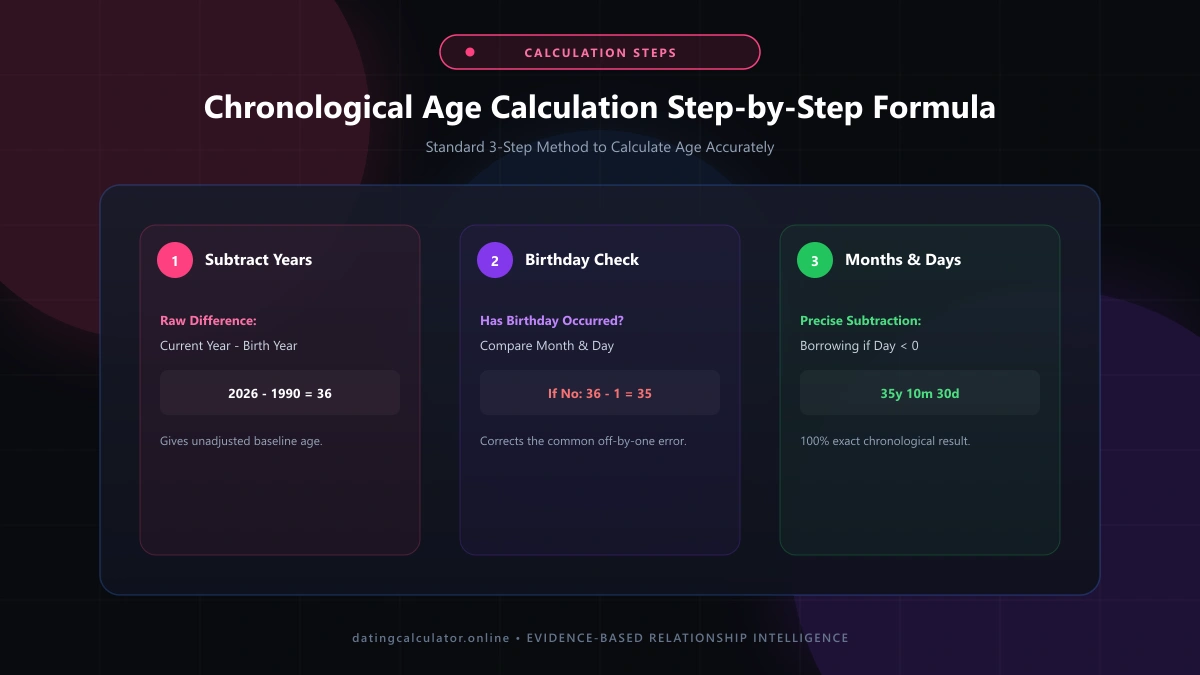
The basic approach is to subtract birth year from current year. If someone was born in 1990 and it’s currently 2026, the starting point is 36. This raw subtraction only gives a rough number though — it still needs adjusting based on whether this year’s birthday has actually occurred yet.
How to Handle Birthdays That Haven’t Occurred Yet This Year
After the initial subtraction, check if your birthday has passed this year. If the current month and day fall before the birth month and day, subtract one from the total. This single adjustment is where most manual age calculation mistakes happen, especially near the end of the year.
Calculating Age in Years, Months, and Days
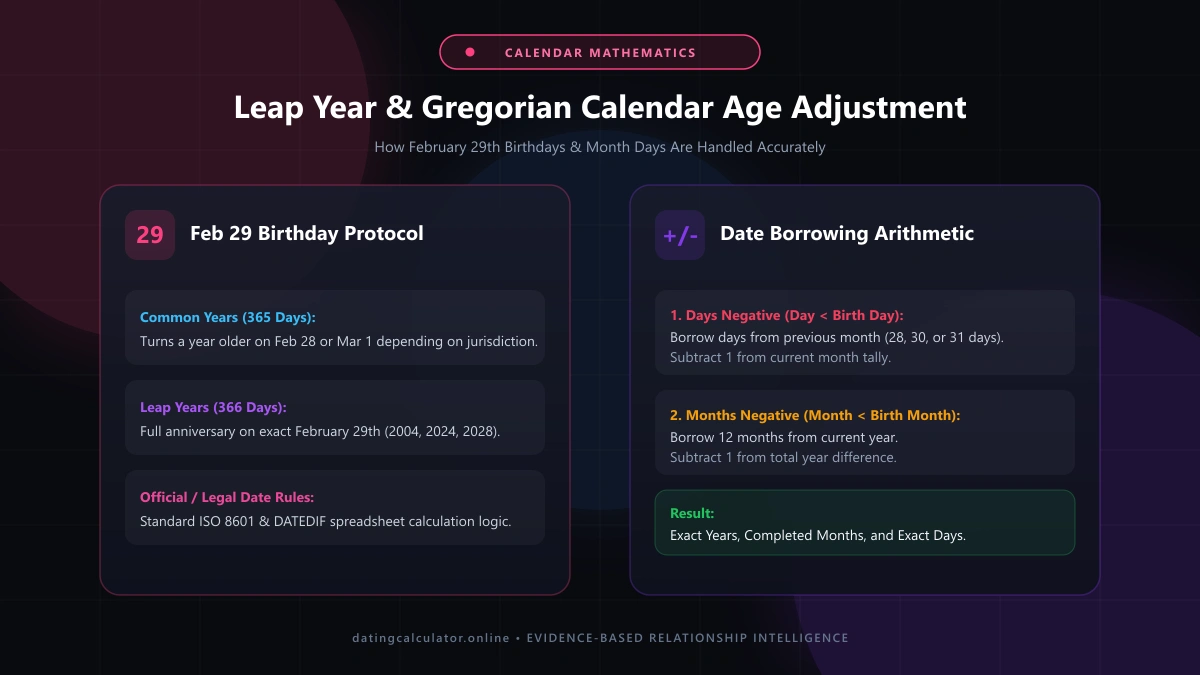
For a more precise result, calculate age in years months and days rather than years alone. Subtract days first, then months, then years, borrowing from the next unit whenever a subtraction goes negative — similar to how the YEARFRAC function and DATEDIF function work internally in spreadsheet software.
Common Mistakes When Calculating Age Manually
The most frequent age calculation mistakes involve forgetting the birthday-adjustment step, mixing up date formats, or ignoring how many days actually fall in each month. Treating every month as exactly 30 days is a shortcut that consistently produces a slightly wrong result.
How Leap Years Affect Age Calculations
A leap year adds an extra day to February, which matters most for people born on February 29th. Since that date doesn’t exist most years, official rules typically treat February 29 birthday people as turning a year older on either February 28th or March 1st, depending on the country.
Using an Online Age Calculator vs Doing It by Hand
An age calculator online applies the Gregorian calendar and calendar arithmetic consistently every time, removing the risk of manual error. Doing it by hand is fine for a rough estimate, but for anything requiring exact age, a dedicated free age calculator is faster and more reliable.
How to Calculate Someone Else’s Age From Their Birth Year Alone
When you only have a birth year calculator-style input — just the year, no month or day — you can only estimate age within a one-year range. To calculate someone else’s age, precisely, you still need the full birth date, not just the year.
Calculating Age for Legal or Official Documents
Age used for legal age eligibility, school admission age, or benefits applications generally requires the exact chronological age on a specific reference date, not just the current date. Official systems often apply the ISO 8601 date standard to avoid ambiguity between formats.
How to Double-Check Your Age Calculation Is Correct
To double check your age calculation, run the numbers a second way — try an online tool after doing it by hand, or vice versa. If both methods agree, especially around the birthday adjustment step, you can trust the result is accurate.
Age Calculation Example
| Birth Date | Reference Date | Calculated Age |
|---|---|---|
| May 15, 1990 | April 14, 2026 | 35 years |
| March 3, 2000 | April 14, 2026 | 26 years |
| Feb 29, 2004 | April 14, 2026 | 22 years |
Conclusion
Learning how to calculate age from date of birth really comes down to one adjustment most people forget: checking whether the birthday has occurred yet this year. Once that step is second nature, the rest of the age calculation formula is simple subtraction. Whether you rely on an age calculator online or do it manually, always double check your age calculation against a second method before trusting the final result.